
One plan for light, shade and control
- 01
Choose the controls
Match dimmers and switches to the actual lighting loads.
- 02
Plan the scenes
Decide what each room and keypad should do.
- 03
Coordinate the shades
Confirm measurements, power and system compatibility.
Planning overview. Exact equipment and installation requirements are confirmed for your property.
Where Caséta Fits
A first phase might cover an entrance, living room and bedroom, or make lighting in a Cape Cod weekend home easier for different family members to use. Decide which lights need dimming, which only need on/off control and where an extra control point would help. Keep those functions clear before choosing the appearance of the devices.
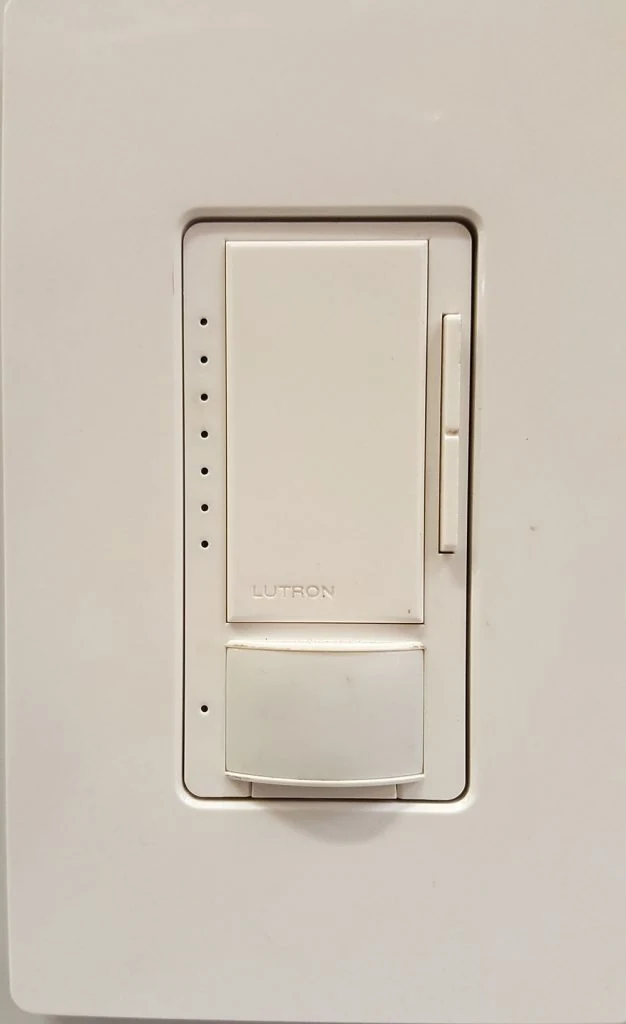
Caséta includes original push-button controls and compatible Diva smart dimmers and Claro smart switches. The word smart matters: a standard Diva or Claro product is not automatically a Caséta device. Confirm the complete model number on the proposal.
Choose the Control for the Light and Wiring
Neutral requirements vary within Caséta. The Diva smart dimmer DVRF-6L does not require a neutral; the Diva smart ELV+ dimmer DVRF-5NE and Claro smart switch DVRF-5NS do. That distinction does not settle LED compatibility: the electrician must also match the lamp or driver, dimming method and connected load to the selected model.
If the same light has controls at several locations, include every location in the survey. The appropriate accessory or remote arrangement depends on the chosen device and existing wiring. Do not assume the other switches can remain exactly as they are.
Understand the Hub and Internet Connection
Caséta controls can provide direct operation and compatible Pico remote control without making every interaction depend on a phone. A Smart Hub adds app-based features such as scenes, schedules and supported integrations. It connects to the router by Ethernet; its communication with Caséta controls uses Lutron Clear Connect rather than the home's Wi-Fi.
Lutron says the system continues to work locally when internet service is down. Remote access and some third-party integrations have additional connectivity requirements. For a property that closes seasonally, decide which features you expect while away and whether the network will stay powered and connected.
Choose the hub with future shades and integrations in mind. Some require the Pro Smart Hub. Matching the appearance of two hubs is not enough to establish that they support the same equipment.
Keep the Setup Understandable
Use room and light names that visiting family can recognize. Start with a few useful scenes and verify them in the actual rooms. Ask for the installed lights to be checked at low levels and from every intended control location before the job is closed.
Enquire with your town, priority rooms, fixture details and any existing hub model. J. Hall Electric can assess the proposed electrical scope; equipment selection and appointment availability are confirmed for the individual project.
- Demonstrate ordinary wall operation and any paired remotes.
- Confirm homeowner app access and the schedules actually configured.
- Keep a device list and notes about replacement bulbs or future additions.
Common questions
Does every Caséta device need a neutral wire?
No. Requirements vary by model and load. The exact control and existing wiring must be checked before ordering.
Do I need special smart bulbs?
Caséta can control compatible conventional lamps and fixtures at the switch. The lamp or driver still needs to suit the control, and dimming requires a compatible dimmable load.
Can I add Lutron shades later?
Potentially. Confirm the shade family and hub first. For example, Lutron specifies a Caséta Pro Smart Hub for Triathlon and Palladiom Wire-Free shades.
Can Caséta become RadioRA 3 by replacing the hub?
Do not assume that. They are separate systems with their own supported devices. Review the exact installed equipment before budgeting for a system change.
Continue planning
Let’s plan your Lutron project
Tell us your town, equipment or system, and what you want the finished installation to do. We’ll confirm the scope and availability with you.
Manufacturer and local resources
Planning information checked against these sources on November 22, 2026. Product models, requirements and availability can change; confirm the details for your project.
Lutron, its logo, Caséta, RadioRA 3 and HomeWorks are trademarks of Lutron Electronics Co., Inc. Brand names and logo identify the systems discussed. No authorized-dealer status or manufacturer endorsement is claimed. Image and logo credits.